Picture this. A campaign is ready, copy is approved, design is locked, and ads are queued. The only thing missing is the landing page.
Instead of launching on time, your team is stalled as IT struggles with WordPress plugin errors, theme updates, or layout repairs. The result: missed launch windows and lost campaign momentum.
That kind of delay is why so many teams now look for WordPress alternatives. What began as a simple blog engine has grown into a heavyweight system with constant updates, plugin conflicts, and security worries.
For marketing departments, managing themes, plugins, and hosting no longer feels like flexibility. It feels like a maze that slows down real work.
Seth Godin once said, “Marketing is no longer about the stuff you make, but about the stories you tell.”
Your CMS either helps you tell those stories quickly or slows everything down.
This article walks through five WordPress competitors that give marketing teams more control, less stress, and shorter timelines. All prices and plan details were checked on each vendor’s own pricing page in October 2026.
The focus is not on every option or every feature.
Instead, you’ll see WordPress alternatives that match how a modern marketing team works:
- Fast deployment
- Low technical friction
- Strong security
- Easy multilingual content
- Real independence from IT and agencies.
By the end, you can match each platform to your priorities and choose the one that best fits your team. If you run a small business rather than a marketing department, jump to the section on the best WordPress alternatives for small businesses.
Let’s get started.
Why Marketing Teams Are Moving Beyond WordPress
For many marketing leaders, WordPress started as a flexible answer to old-school, custom-coded sites.
Over time, though, the platform often turns into its own bottleneck. Every change risks breaking a plugin, clashing with a theme, or slowing the site.
When campaigns depend on quick iterations, that friction hurts performance.
The main pain points usually fall into a few categories:
- IT bottleneck: Even with a marketing-friendly theme, anything beyond a basic content edit tends to land on a developer’s desk. Adding a new template, changing forms, or adjusting tracking pixels can mean ticket queues, handoffs, and delays. The more urgent the campaign, the more painful that wait feels.
- Security risk: WordPress powers a huge share of the web, which makes it a frequent target for automated attacks. The plugin system adds to that, because it is wide open. Each plugin adds new code, new update schedules, and new risks. A single outdated plugin can expose the whole site, even if the core system is fully patched.
- Performance drag: Marketing teams add plugins for SEO, caching, forms, tracking, page building, and more. Over time, pages get heavy, databases grow, and page speed drops. That hurts conversion rates and search rankings. It also raises pressure on IT to keep tuning servers, caches, and databases just to stay fast.
- The hidden cost of “free”: WordPress itself does not have a license fee, but time is not free. Hours spent dealing with theme updates, fixing mysterious layout issues, or arguing with hosts over resource limits do not go to content, testing, or creative work. That is why many teams now treat WordPress alternatives as a way to reclaim focus and move faster.
Google Web Dev Team: Speed matters. Faster sites make people happier.
When your campaigns live or die by speed, a slow or fragile CMS becomes a real business problem.
The Real Cost of WordPress Maintenance
When you stack up all the maintenance tasks, the cost becomes clear.
Marketing managers spend time chasing developers for fixes, checking after each update to see if something broke, and worrying about plugin security notices.
Instead of planning campaigns, they act as project coordinators for website repairs.
Delays also show up on the bottom line.
If a big launch waits a week for landing pages or tracking fixes, media budgets burn while visitors land on outdated or half-ready pages. In some cases, teams pull back on bold ideas simply because they know WordPress changes will take too long.
What Modern Marketing Teams Actually Need
Modern teams need a different kind of platform. They need WordPress alternatives that let marketers ship work without waiting in line. That means systems where a campaign page goes live in hours, not after a long dev sprint, and where simple changes do not risk breaking the entire site.
They also need built-in support for multilingual content, so global campaigns do not turn into spreadsheet chaos.
Security has to be strong but simple, with fewer moving parts and fewer plugins to watch.
Above all, the interface needs to align with how marketers think: clear page structures, simple modules, and workflows that favor campaigns over code.
How We Selected These WordPress Alternatives
Not every WordPress alternative works well for marketing teams.
Some tools are perfect for solo bloggers or hobby sites but fall short once several people need to collaborate, report on results, and move quickly.
The platforms in this guide were picked with busy marketing departments in mind.
Key criteria included:
- Independence from IT and agencies: Could a marketer build and publish a new landing page on their own? Can they manage navigation, forms, and basic tracking without writing code or waiting weeks? If the answer was no, the platform did not make the list.
- Time to market: We favored WordPress alternatives that help teams go from idea to live page in hours or a few days. That ruled out systems that demand heavy custom development just to achieve simple layouts or basic integrations.
- Total cost of ownership: We looked beyond subscription price. Real cost includes staff time, agency fees, and the stress of dealing with bugs and outages. Platforms that reduce overhead and simplify operations ranked higher in this website platform comparison.
JetPages – Custom Business Website With a Self-Manageable CMS
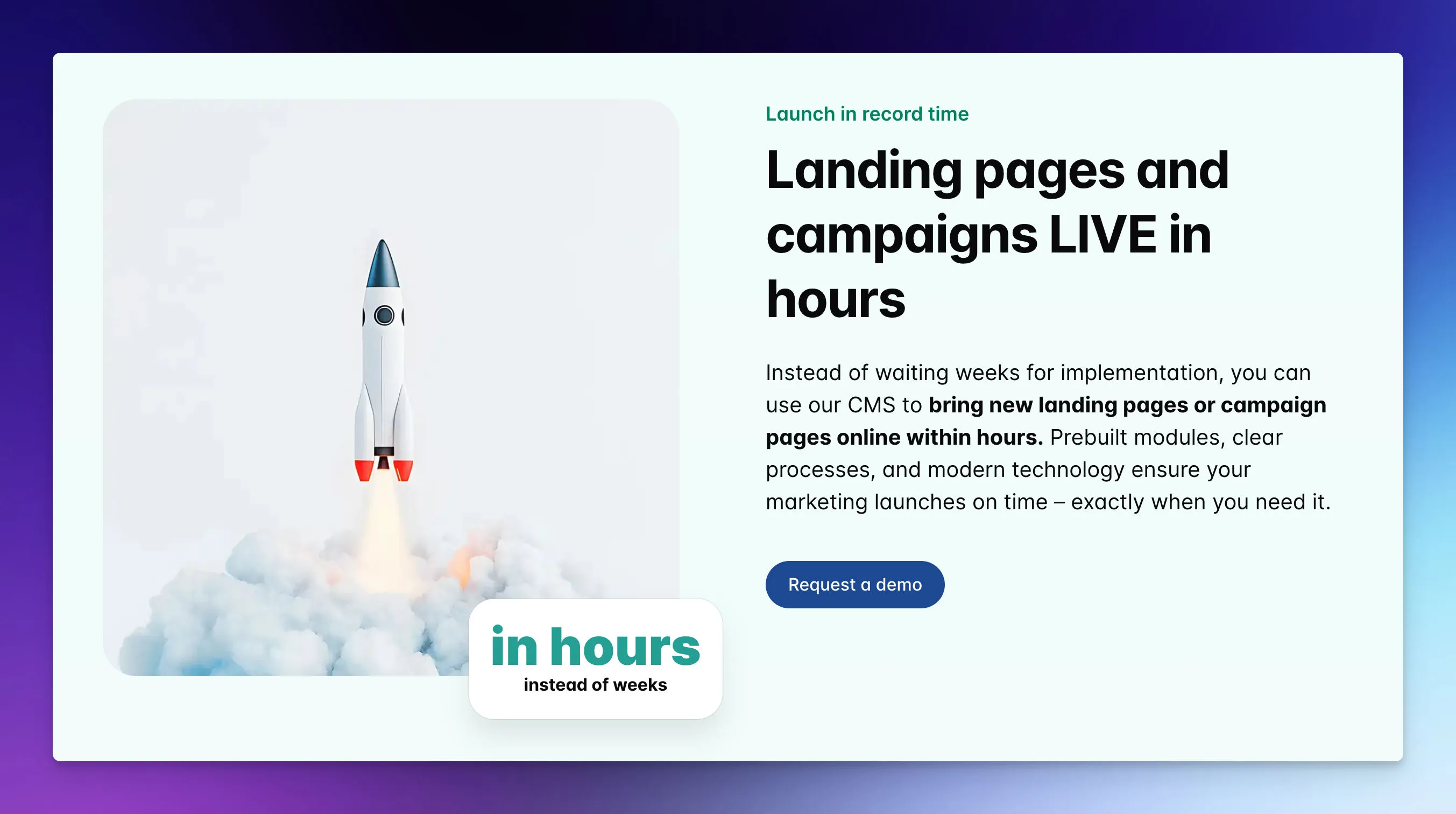
JetPages is a custom business website with a self-manageable CMS — no WordPress — built for growing companies. It is designed for teams that want to manage pages without daily help from IT or external agencies. The WordPress alternative page explains the setup in more detail.
While many WordPress alternatives start as general-purpose tools, JetPages starts from a marketing use case and works backward from there.
At its core, the JetPages CMS for marketing teams gives marketers a zero-code interface for managing pages and content.
You can create and launch landing pages, campaign microsites, and content sections using clear modules instead of complex settings. Layouts, forms, and media blocks are simple to change, so tests and tweaks do not require a ticket.
Speed is where JetPages really stands out.
Landing pages can go from idea to live version in a few hours. That means your team can respond quickly to market shifts, new offers, or urgent campaigns. Instead of worrying whether WordPress or a plugin update will break something, you work in a controlled, stable environment.
For international teams, AI translation is built into the same workflow. You write a page once, and JetPages creates the other language versions for you to review and adjust. You also choose which AI model does the translating, including top models such as Claude Fable 5.1 or Claude Opus 5.5.
Under the hood, JetPages runs on dedicated EU-hosted servers with high performance and strong security.
You do not need a separate hosting contract, code version tuning, or guessing which cache plugin to install.
The hosting, security, and CMS are designed to work together from the start, which is a big change from the mix-and-match world of WordPress competitors.
Why JetPages Stands Out for Marketing Teams
It is shaped around brand consistency and control:
- Brand rules baked in: You set up fonts, colors, spacing, and reusable components once, and the system keeps every new page aligned with your corporate design. Freelancers, junior marketers, and regional teams can all build pages without drifting off brand.
- Security and compliance handled: Dedicated EU servers, GDPR-compliant data handling, and managed infrastructure reduce risk and the burden on internal audits. You gain the confidence of an enterprise-level setup without a complex tech stack to manage.
- Campaign speed by design: Templates and reusable content blocks let you spin up and adjust landing pages quickly, test different variants, and keep what converts. There is no need to wait for a developer to copy a layout or hard-code a new block.
Ideal for:
- Mid-sized B2B companies that rely on in-house marketing teams and run frequent campaigns
- Teams tired of waiting for agencies or IT to just launch another landing page.
- International teams that need multilingual sites and campaigns without expanding headcount
- Organizations that care deeply about brand consistency, security, and performance
- Companies that want an enterprise-level setup but do not want to manage heavy infrastructure or a tangle of plugins
- Teams where independence, speed, and safety top the list
Pricing
JetPages is not a monthly subscription to a builder. The initial project starts from EUR 2,000 one-time, ongoing hosting and support from EUR 29 per month, and custom extensions are quoted on request. Details are on the pricing page.
When JetPages Is Not the Right Fit
If you want to build the site yourself over a weekend, or your budget is a few dollars a month, a website builder such as Wix is the more realistic choice.
Wix – The All-In-One Builder For Marketing Simplicity
Wix is one of the best-known sites like WordPress for teams looking for an all-in-one solution.
Hosting, design tools, templates, and many marketing features come in one subscription. You sign up, pick a template, and can have a basic site together very quickly.
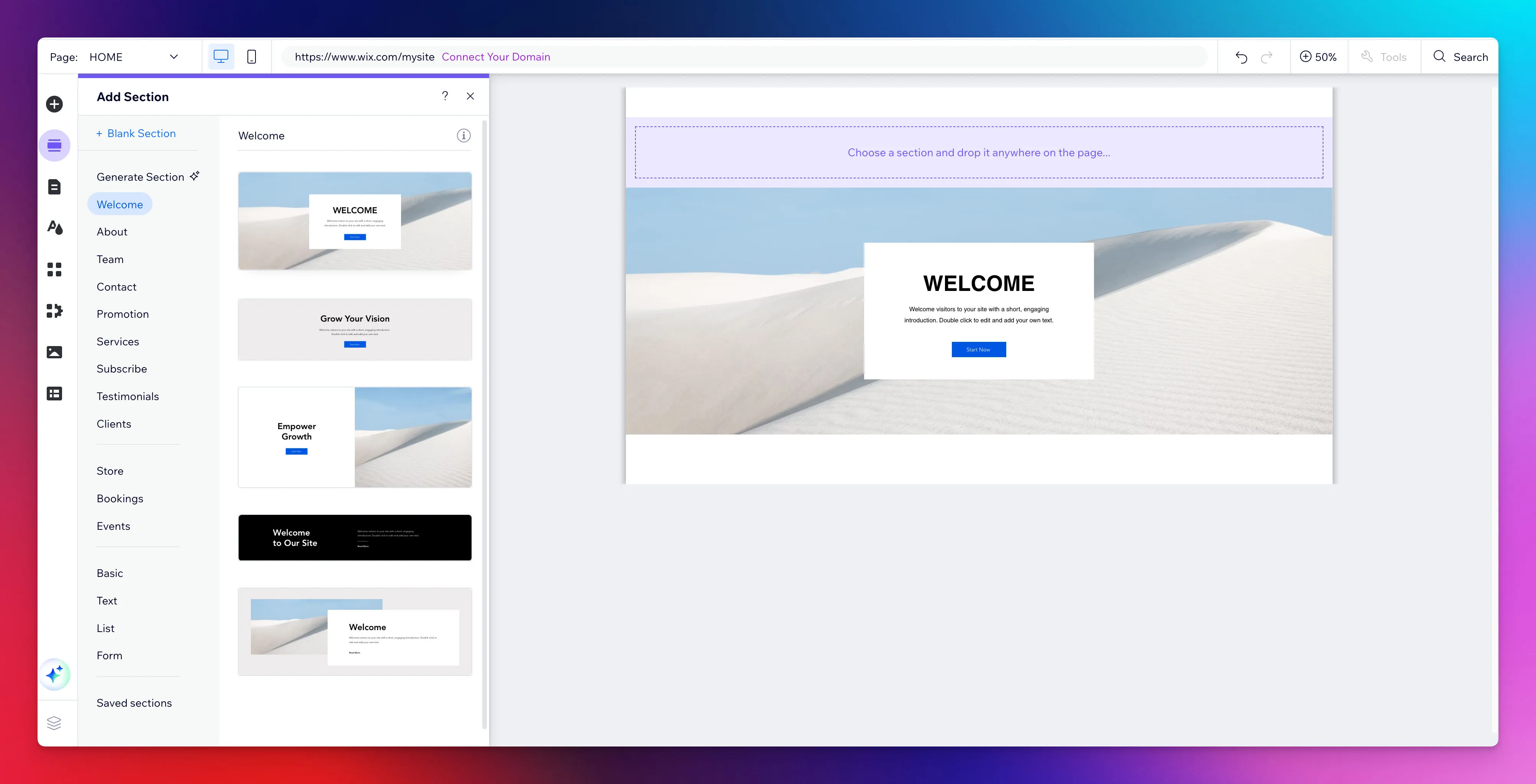
A key strength is the visual editor. You drag and drop elements on the page, adjust spacing and typography, and see changes right away.
That makes it friendlier for non-technical marketers than many WordPress competitors that still expect some HTML or CSS knowledge. Wix also includes an AI site builder that can generate a starting layout based on simple prompts.
From a marketing perspective, Wix covers many common needs out of the box.
You can run:
- Blog
- Manage forms
- Integration with email marketing platforms
- Build online stores
There are templates focused on lead generation, service booking, and small eCommerce, all designed to support conversions with minimal setup.
Pricing
Wix has a free plan with Wix branding and a Wix domain. When we checked wix.com/plans in October 2026, the cheapest paid plan, Light, was listed at just under $18 per month on yearly billing. Wix notes that USD prices are a reference only; prices and currency vary by country.
When Wix Makes Sense
Wix makes sense if you want a single service that covers most marketing basics, from website pages to a small store, without calling IT.
There are trade-offs. You host with Wix and cannot easily move your exact site elsewhere, which means some vendor lock-in.
Ghost – The Publisher’s Platform For Content-Driven Marketing
Ghost serves marketing teams that think like publishers. If your main engine is content like articles, expert posts, newsletters, and member updates, then this is one of the most focused WordPress alternatives you can pick.
Who is behind it: Ghost is open source and run by a non-profit organisation, founded in 2013 by John O’Nolan and Hannah Wolfe.
The interface is calm and distraction-free.
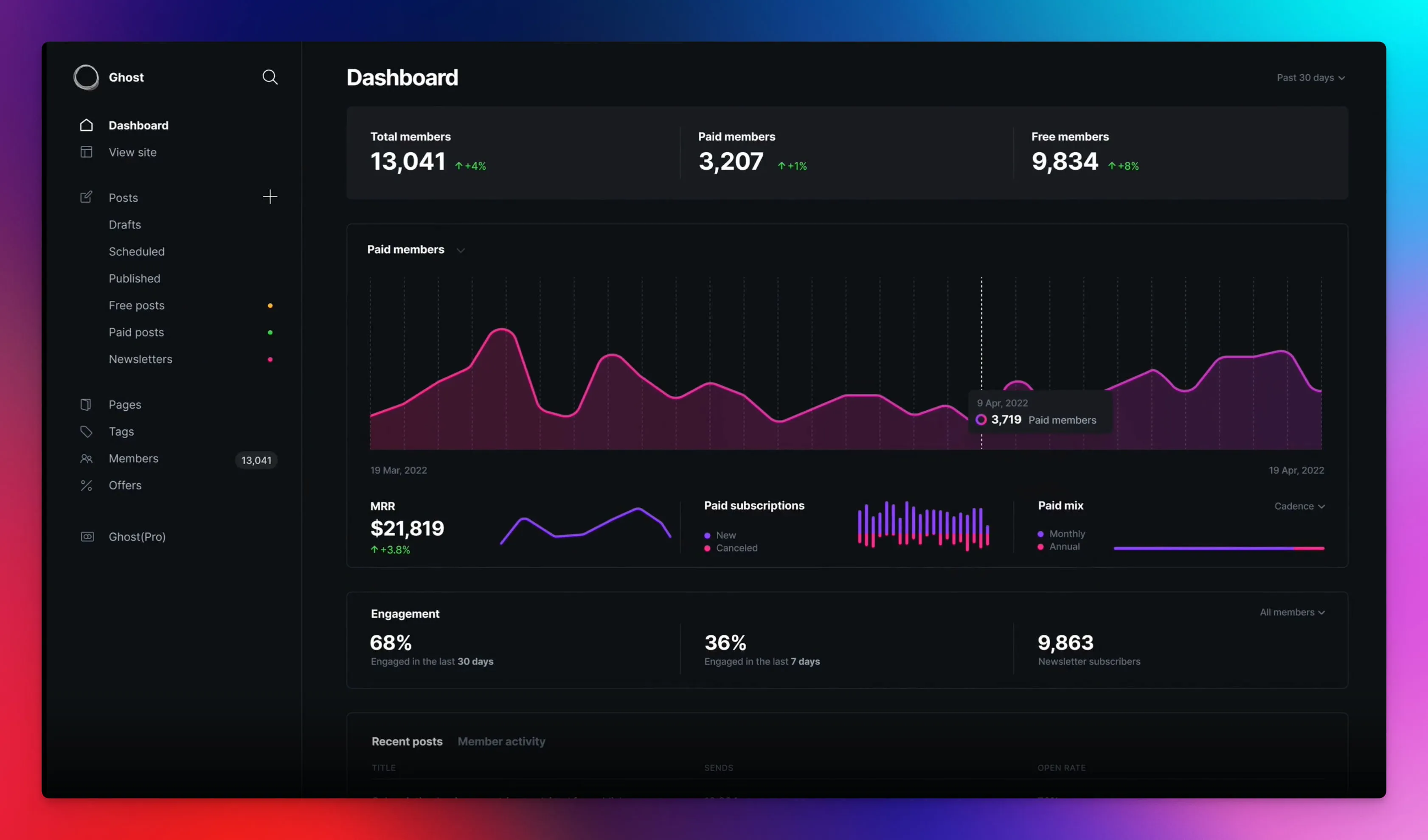
Writers get a pleasant editor that feels more like a modern writing app than a cluttered admin dashboard.
You can create articles, tag them, schedule posts, and manage image assets without digging through settings.
Ghost shines when you want to build an owned audience.
Memberships, paid subscriptions, and email newsletters are part of the core system. There is no need to hunt for plugins or third-party tools just to send a newsletter based on your latest posts. That tight connection between content and audience makes Ghost a strong content publishing platform.
Pricing
You can host the open-source version yourself, or use the managed Ghost(Pro) service. According to ghost.org/pricing (October 2026), Ghost(Pro) Starter costs $18 per month billed yearly, with up to 1,000 members and no custom themes. The Publisher plan costs $29 per month billed yearly.
Shopify – The Dedicated E-commerce Solution For Marketing
When eCommerce is not just a feature but the main business, Shopify stands out among WordPress self-hosted alternatives.
While WordPress can run online stores through WooCommerce, that setup often becomes heavy and fragile as the store grows. Shopify, on the other hand, is built from the ground up for selling products.
From the start, Shopify guides you through setting up products, collections, taxes, and shipping.
You do not need to install separate plugins just to accept payments or handle basic inventory. This guided setup helps non-technical marketers move from empty store to first sale much faster than a typical WordPress build.
For marketing teams, Shopify removes many technical chores. You can launch product campaigns, update pricing, and adjust collections without having to call a developer each time.
Pricing
Shopify shows prices in your local currency. Checked from the EU in October 2026, shopify.com/pricing listed the Basic plan at EUR 24 per month billed yearly, or EUR 32 billed monthly. Card payment fees come on top and depend on the plan. You are paying for a fully managed store engine, not just hosting.
Webflow – The Designer’s Platform For Marketing Precision
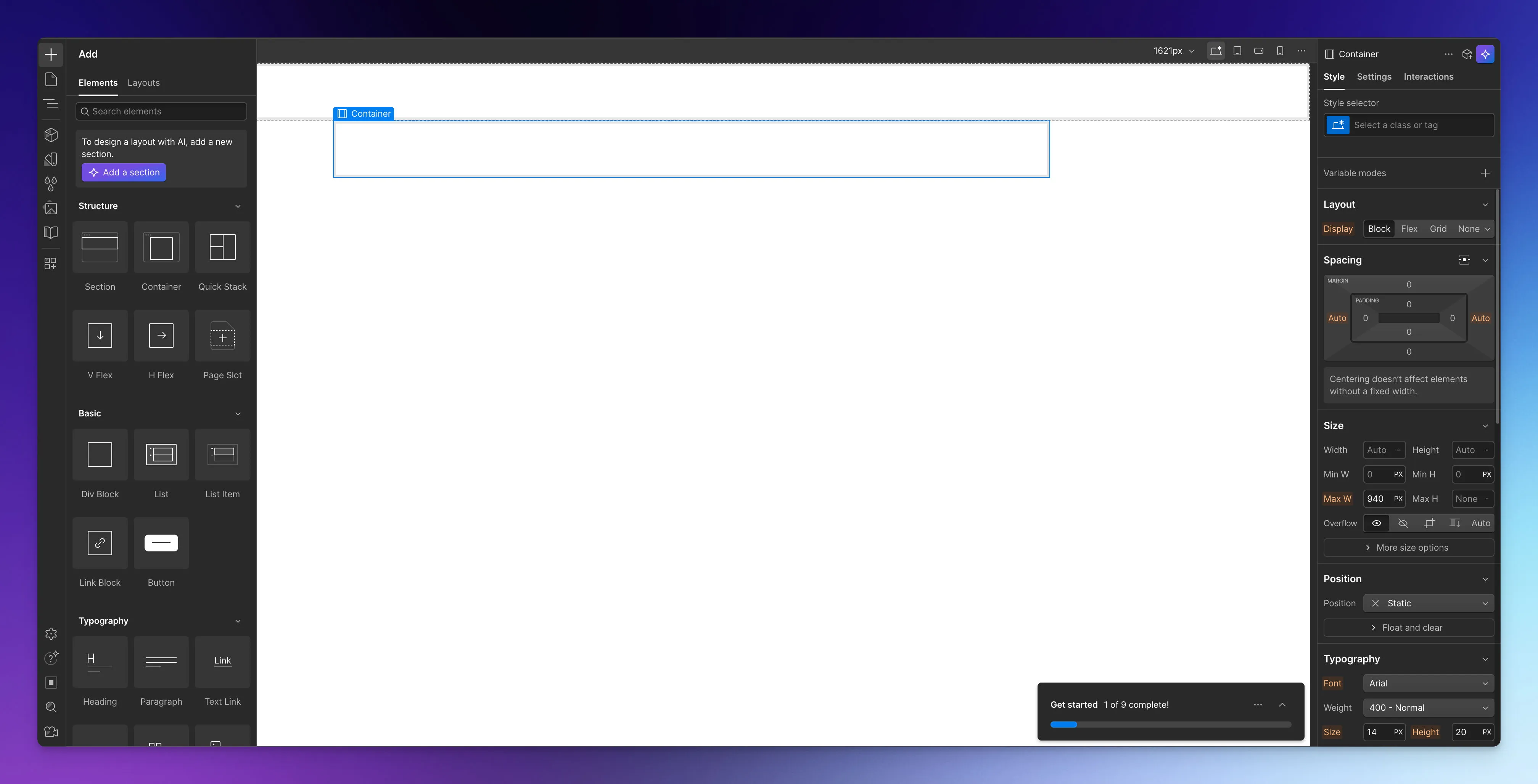
Webflow sits between simple website builders and fully custom development.
It is a visual web development platform that gives designers near-code-level control through a graphical interface. For marketing teams working closely with in-house designers or agencies, Webflow can be a powerful WordPress competitor.
For marketers, Webflow’s benefit is that once the design system is in place, you can work within predefined content structures.
You add and update content within a CMS collection while the front-end design remains stable and on-brand. That mix of freedom and guardrails helps maintain a high-quality brand presence.
Webflow also includes hosting, SSL, and performance tuning.
Pricing
According to webflow.com/pricing (October 2026), there is a free Starter plan on a webflow.io domain. The Basic site plan costs $15 per month billed yearly but does not include the CMS. The Premium site plan, which includes the Webflow CMS, costs $25 per month billed yearly.
When Webflow Is The Right Choice
Webflow is best when you have design resources and care deeply about visual quality.
If your brand depends on a refined digital presence and you want more control than template-based websites like WordPress allow, this platform deserves a close look. It gives designers room to craft distinct experiences while still letting marketers manage everyday content.
The trade-off is a deeper learning curve than tools like Wix.
Marketers may need some onboarding to understand CMS collections and content structures.
For teams that want the fastest path to a basic site with almost no training, Webflow may feel heavy.
Best WordPress Alternatives for Small Businesses
Small businesses usually have no marketing department and no developer. The question is less “which tool has the most features” and more “who will build the site, and who will keep it running?”
Here is an honest overview of who fits which option:
| Your situation | Good fit | Why |
|---|---|---|
| You want a simple site, build it yourself and keep costs low | Wix | Free plan to start, paid plans from under $20 a month, everything in one place |
| Your business runs on articles, newsletters or paid memberships | Ghost | Publishing, newsletters and memberships are built in |
| Selling products online is your main business | Shopify | Payments, inventory and shipping without extra plugins |
| You work with a designer and brand matters a lot | Webflow | Precise design control, with a CMS for everyday content |
| You want a custom site built for you, edit content yourself, and skip plugin maintenance | JetPages | Built by JetCoders, hosting and technical upkeep included, AI translation for more languages |
| You already know WordPress and someone owns the maintenance | Stay on WordPress | A well-maintained WordPress site is still a solid choice |
Two questions help most small businesses decide:
- Do you want to build it yourself? Then a builder like Wix (or Webflow, if you have design skills) is the natural route. Plan for your own time, not just the subscription.
- Do you want it built and looked after for you? Then compare a custom website with a WordPress agency plus a maintenance plan. Our guide on what WordPress maintenance costs shows real prices for that second option.
If you are leaning toward a custom site without WordPress, our WordPress alternative for small businesses page explains how JetPages works, what it costs and when it is not the right fit.
Making The Right Choice For Your Marketing Team
Choosing among WordPress alternatives is less about features and more about fit.
The right platform depends on what drives your marketing results, how your team is structured, and how quickly you need to move. Trying to force every use case into a single tool often leads to the same friction you feel with WordPress.
Start by naming your primary goal. If your work centers on fast campaign landing pages and international launches, a system built around marketer-managed pages may fit better than a general website builder.
If online sales are the heart of your revenue, a focused eCommerce system such as Shopify is more suitable than stacking plugins on a blog engine.
Whichever platform you choose, plan the move itself as a proper website migration with redirects for every old URL. That helps protect the rankings you already have.